 memory-piece
Android app · closed test now open
Turn a travel moment
into a single piece.
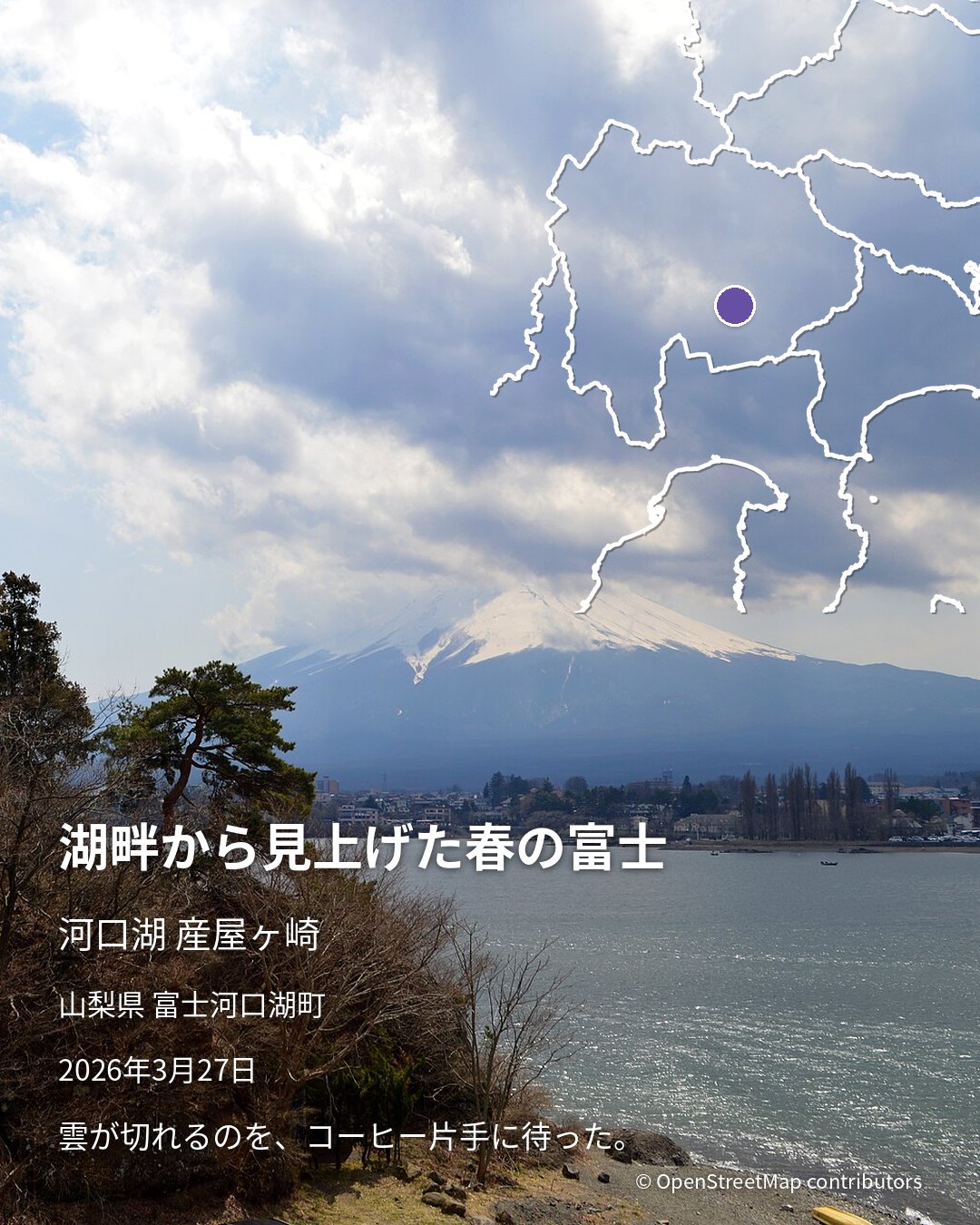
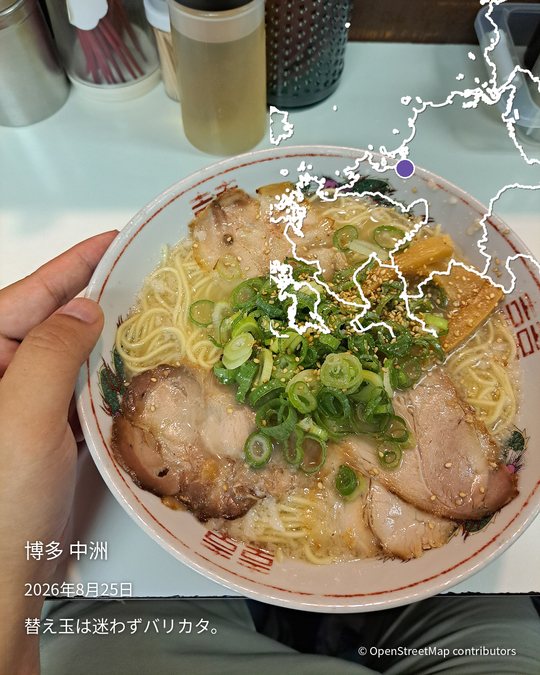
Pick one photo. The app reads when and where it was taken, then adds the visit date, the place name and a small map. It takes about thirty seconds.
Join the closed test See how it works
Free. Android 10 or later. The public Google Play release is being prepared.
How it works
Three steps to one piece.
No long journal required. The app reads the date and location stored in your photo; you add a line if you like.
Pick a photo
Choose one from your library, or take a new one and make a piece right away.
Check the place, add a line
The date and place fill in automatically. Fix the place by searching if needed, and add a short note.
Save and share
The piece is saved to your photo library, right next to the original photo. Tap Share to send it to social media or to family.
Samples
Three looks that stay out of the photo’s way.
Text sits along one edge of the photo. The map is drawn as white lines only, prefecture borders and coastline, so the photo stays the subject.
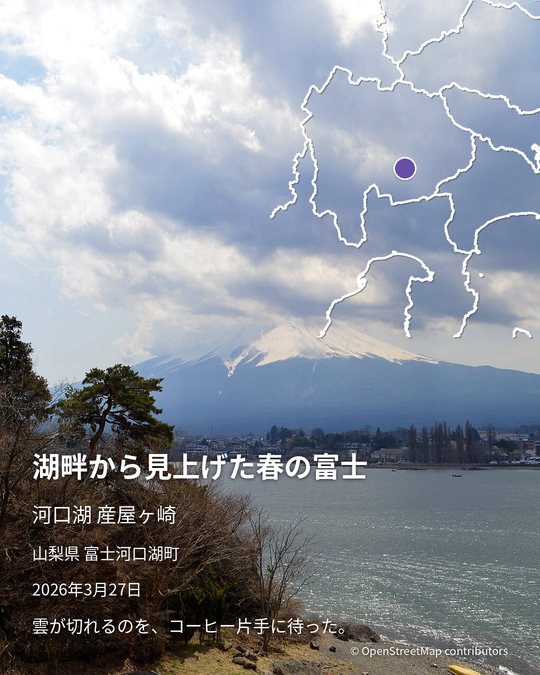
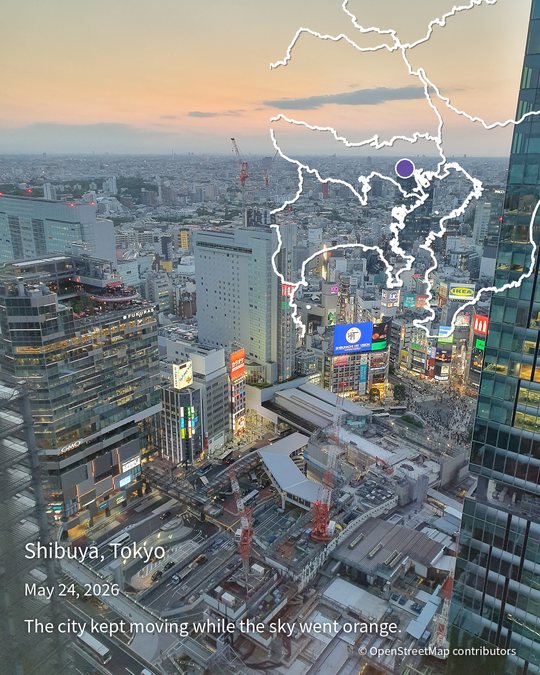
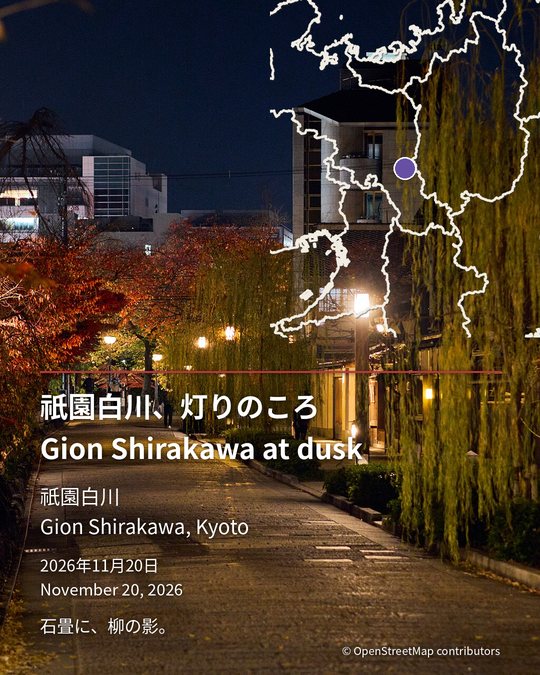
Samples were made on a real device by loading CC0 photos into the app. Titles and notes are fictional.
Moments
A view, a street, the bowl you had that day.
memory-piece does not manage your whole trip. It turns the moments that stayed with you into pieces, one at a time.
Your data
Photos and notes never leave your device.
Your memories live only on your phone. We do not store your photos or text on our server. The app connects to the internet for three things only: maps and place names (it sends coordinates, nothing else), ads, and anonymous usage statistics.
Stored on the device only
Photos, notes and records stay on your phone. No account, no sign-in.
Maps from our own server
Maps and place names come from OpenStreetMap data served by us. Your photos and records are never sent to a commercial map service.
No GPS in the shared image
Saved and shared images do not carry the original photo’s location metadata. You can choose to keep it, piece by piece. Location permission is optional.
FAQ
Things people ask.
Is it free?
Yes. A banner ad appears on the home screen and the record list, never on the editing screen. You never have to watch an ad to save your piece.
Does the app put a logo or watermark on my piece?
A pin mark and “memory-piece.me” sit at the bottom edge, the same size as the place name. When a map is used, they sit just above the “© OpenStreetMap contributors” line. There is no large logo or watermark over your photo. Everything else on the piece is your photo and text.
I tapped “Don’t allow” on a permission. How do I turn it back on?
Tap “Open settings” in the app’s settings or on the editing screen. In your phone’s Settings, go to Apps → memory-piece → Permissions and allow Photos and videos, and Location. You can still make pieces without either permission.
Is there an iPhone version?
Not yet. The app runs on Android 10 or later. An iOS version is not planned at this time.
What if my photo has no location?
You can use your current location or search for a place by name. Location permission is not required.
Can I write in English?
Yes. Choose Japanese, English or both. Date formats follow the language.
What about goshuin (temple and shrine stamps)?
Support is planned for a later version. The current version focuses on travel spots.
What is the closed test?
A period before the public Google Play release when you can use the app on your own device. See the call for testers for how to join.
Get started
Try it before everyone else.
The pre-release build is delivered through Google Play. It is free.
The public Google Play release is being prepared. A store link will appear here when it is out.
Credits
| Map data | © OpenStreetMap contributors (ODbL). Map images are rendered on our own server from OpenStreetMap data. |
|---|---|
| Rendering | planetiler (Apache-2.0), tileserver-gl (BSD-2-Clause), Natural Earth (public domain), OSM water polygons (osmdata.openstreetmap.de, ODbL) |
| Map fonts | Noto Sans CJK JP (SIL Open Font License 1.1) |
| Serif typeface in pieces | Noto Serif CJK JP © Adobe (SIL Open Font License 1.1), bundled with the app |
| Sample photos | CC0 photos from Wikimedia Commons (Mount Fuji, Shibuya, Gion, ramen) |
| Ads | Google AdMob. See the privacy policy. |


